


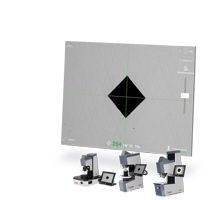
QATM Qpix T2 – touchscreen hardness testing software
Applications
For all QATM testers with an integrated touchscreen (Qness 10/60 M, 200 CS, 250/750/3000 C/CS/E EVO, Qmobile EVO). Simplifies series testing and documentation in production.
Key features
- Full-screen mode – the most important functions and results in one window
- Series test programs with a fixed number of points
- One-button saving, report and archiving for series tests
- Export to PDF, XLSX, DOCX, XML, CSV; result transfer via RS232 or Ethernet
- Test block management: reminders, statistical profiles, trends, audit reports
- Remote assistance and updates (Online Support)
Models
Qpix T2; Qpix T2R (Rockwell); Qpix TE (Qness 150 CS)
Technical data
- Operation: multi-touch
- Export formats: PDF, XLSX, DOCX, XML, CSV
- Interfaces: RS232, Ethernet
- Dynamic height adjustment: with Q250/750/3000 E – automatic start after clamping
What we offer
- Selection of the instrument and configuration for your task, together with the manufacturer
- Trial measurements of your samples in the manufacturer’s laboratory
- Training, calibration and service organised through the manufacturer
Technical data according to the manufacturer: qatm.com, qatm.com
You might also be interested in
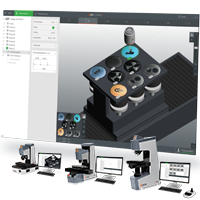
QATM Qpix Control2 – 3D software for automatic hardness testers
For fully automatic QATM testers (Qness 60 A+ EVO, 150 CSA+, 250/750/3000 A+ EVO).
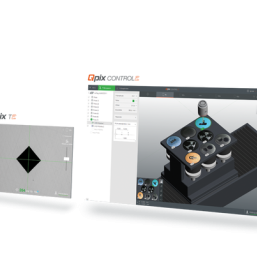
QATM Qpix Control2 M/R – unified software platform for semi-automatic hardness testers
For laboratories with several different QATM hardness testers (e.g. Q10 A+ and Q250 C) – operators need no additional training, and data are handled in the same way.

QATM QAI – AI-based indentation image analysis
For laboratories working with surfaces that are difficult to evaluate (etched microsections, rough castings, low-contrast coatings), where the classic algorithm requires manual correction.